How I back up my data and why you should build a back up plan.
TLDR: Backup your data , be less reliant on the cloud.
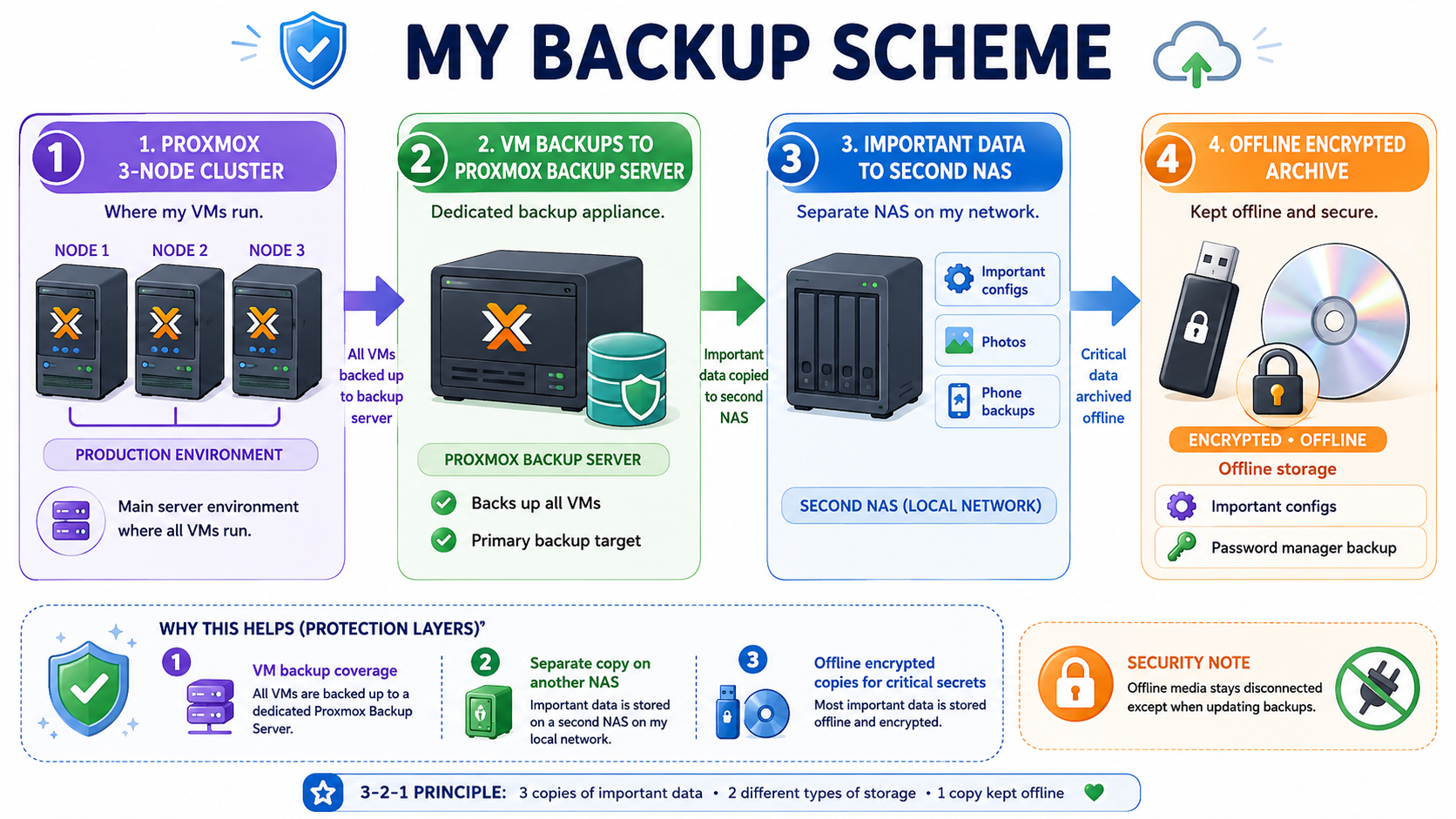
My backup(short but important) story.
Now my backup scheme is a bit more complicated then the above picture(now), but it is a simple visual representation of how i started and why i picked the scheme, which I'll be discussing below. When i first started with Proxmox i had no backup plan and i used western digital blue 3TB drives in a raid 0. If you read anywhere on the internet and tell someone that, they would scream at you and call you a retard. this setup still works to this day (7 years later). My point is don't listen to these blogs with affiliate links to the "the best drive ect" I eventually moved to a nas and used TRUENAS as my backup target and used that for a long time. i have since moved to proxmox backup server for my proxmox cluster and the reason is simple. it works and it works well. i also have a unifi NAS, because at the time of writing proxmox backup server only supports the proxmox server (for now).
Why you should avoid the cloud for backup's first and why should you care.
Look, I think a hybrid solution of cloud backup is good. people make mistakes and people are not goof at backing up their data. let alone testing it. I myself test all my backups and do it on a regular schedule. Even if you think you are an "expert" mistakes can happen, but avoiding the cloud at first may seem scary, but that is the point.
It let's you see what you do and don't need. It also makes you notice how many apps you have that are hoarding your photos and data, either at a cost or free (your data).I Would do this first,
-
buy a nas, i would avoid any nas with proprietary software or that doesn't allow any changes to the os. I would also not get any nas that is hardware locked (can't upgrade ram ect) or has proprietary parts like HARD-DRIVES ECT.
-
Buy some big hard-drives. You don't know where the prices will be a year from now ect. especially this will save you on your subscription cost to google photos, apple photos ect.
You can build your own nas. this is out of scope, but it can be done cheaply.lot's of prosumer nas do a good job or if you have a spare pc. you can also do a JOB (just a bunch of disc). -
Download all your important photos and docs ect. treat this as a temp comply before you delete anything. I will list at the end of some good FOSS apps for cloud backup if you wish, But for now take it one step at a time.
this is a easy diagram to download your photos from some of the major platforms.
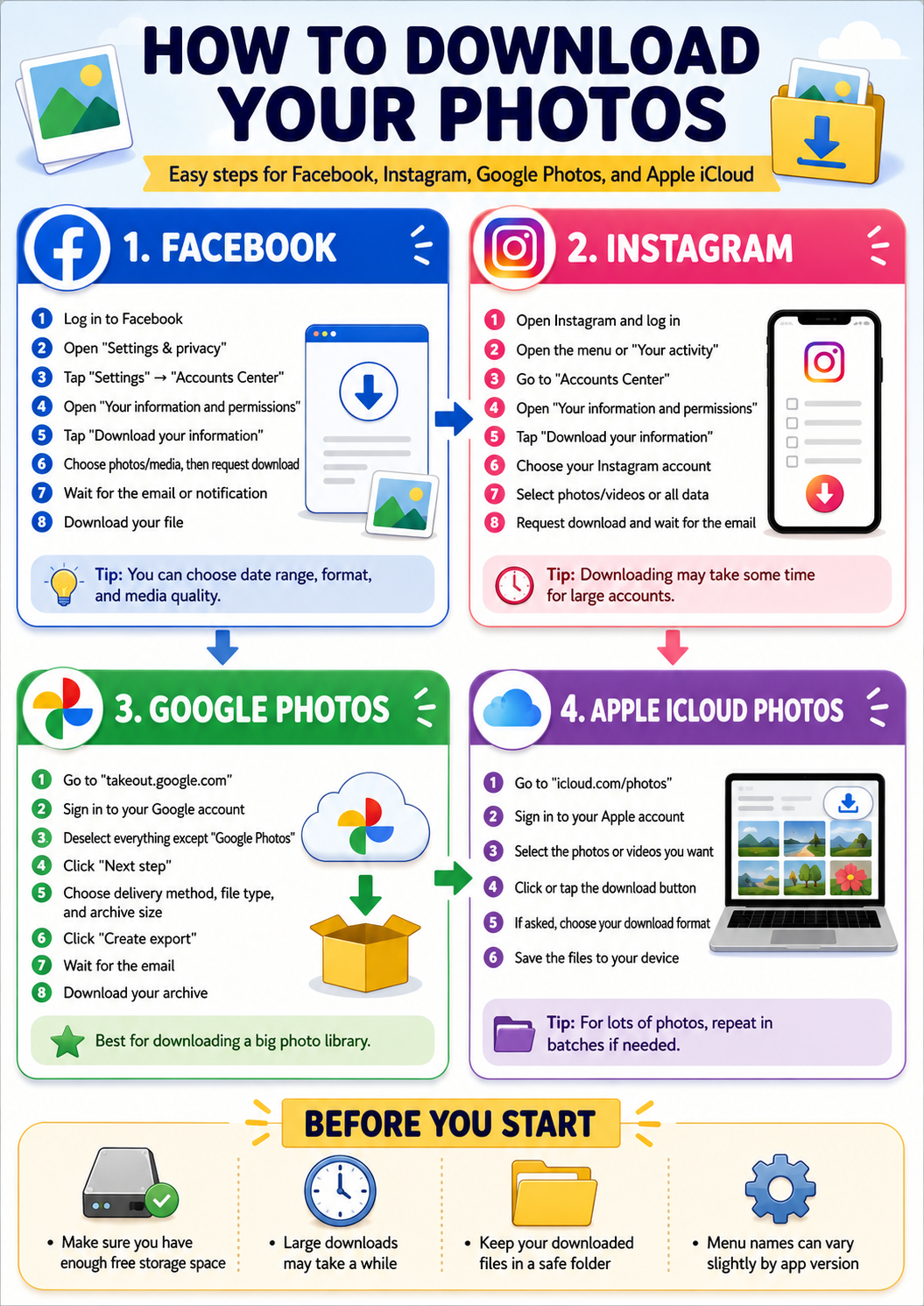
After you download all the photos and important docs.
You can expand your media formate later, (IE TAPE, CLOUD CD'S ECT) once you are comfortable.
APPS (I DO) and you should look at.
Now that you have your media and a nas here are a list of apps i use.
this is a list of apps i use that has replaced major cloud providers.
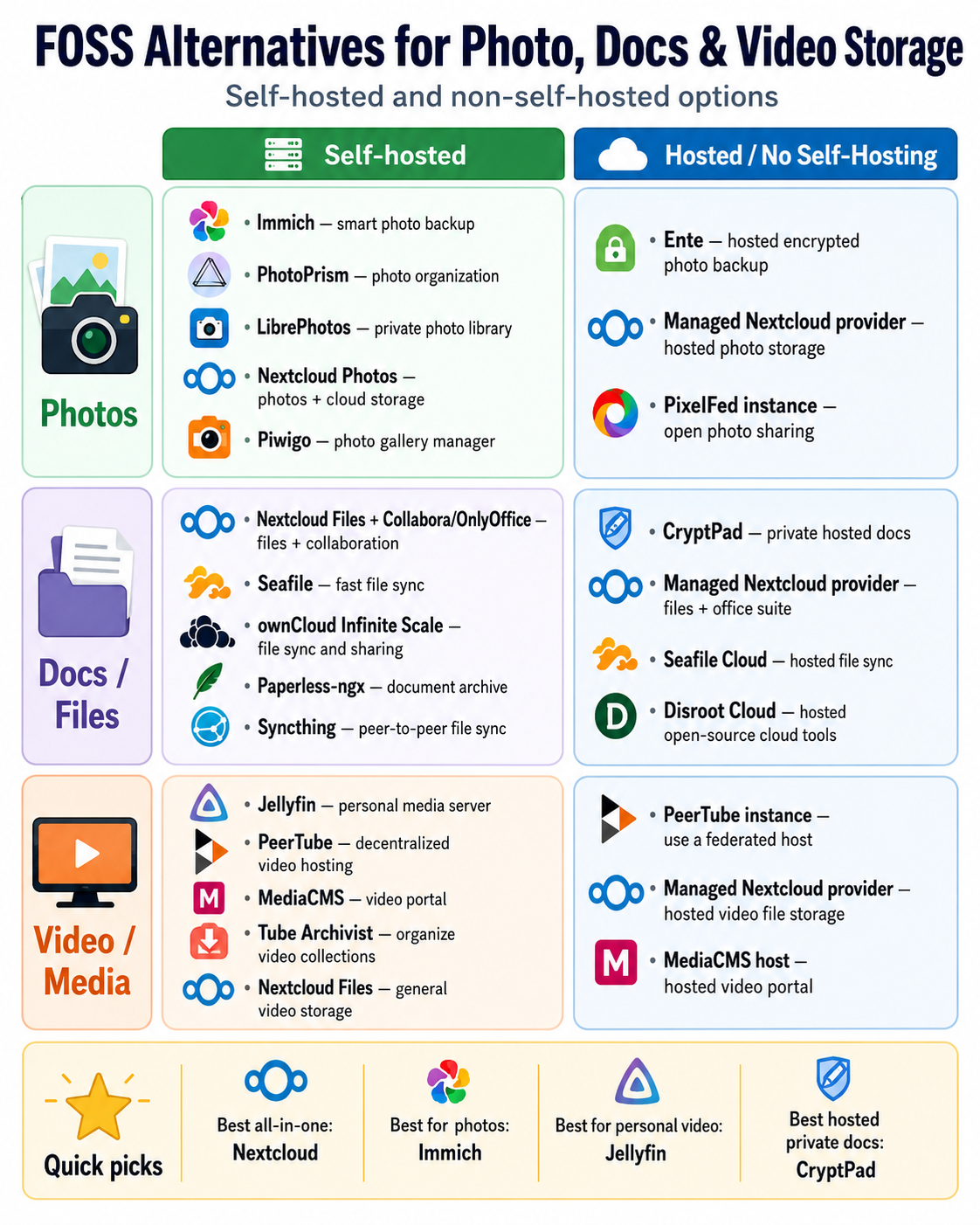
these are some FOSS options to move away from big tech.
I use
- immich for my photos
- paperless ngx for my docs
- bento for my pdf's
i have a long list of other apps i self host and it is out of scope here, but once you start self hosting it becomes very addictive.
My socials.
keep in touch and message me on xmmp matrix or discord.
88ntECDqNgKNMbPkG5E5SGDBy4waA97Ua1hjBt2n4qhmRMsWrfQAY85RXGfpvHGyz59nHGz1nyrJNWHwS4afbErm7nZKPee
There is
my socials